
How to enable comments in Telegram? After all, this is one of the most in-demand features among channel owners, helping to increase engagement, collect feedback, and much more.
Telegram is a powerful messaging platform that allows you to create channels, groups, and chats to communicate with your audience.
There is a type of community in Telegram — channels, and comments can only be enabled there. You cannot enable comments on your personal posts.
How to enable comments in Telegram
Comments on a Telegram channel work through linked groups, where members can discuss posts. Therefore, after creating a channel, the first thing you need to do is link a group to the channel so that comments become available.
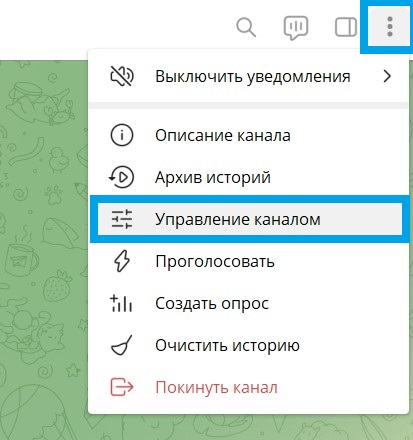
- Open Telegram and click on the menu button — the “three vertical dots” in the top right corner.
- Select “Manage Channel”.
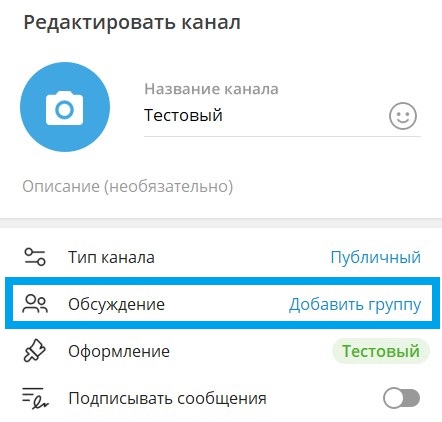
- Next, “Discussion — Add Group”.
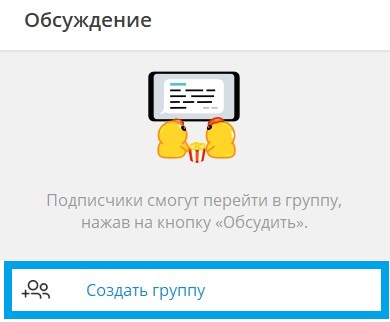
- Then “Create Group”.
- Enter the group name and click “Create”.
- Click “Save”.
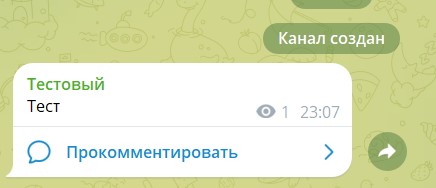
Done! Now the group is linked to the channel, and each post will be forwarded to the group. A “Comment” button will appear under new posts in the channel.
Notification and moderation settings
Now you know how to enable comments in Telegram, but for effective comment management, it is important to set up notifications and moderation in your group. You can assign administrators to monitor comments, as well as set up filters for automatic spam removal.
- In the group settings, select “Manage Group”.
- Add administrators who will help you with moderation.
- Set administrator and member permissions according to your needs.
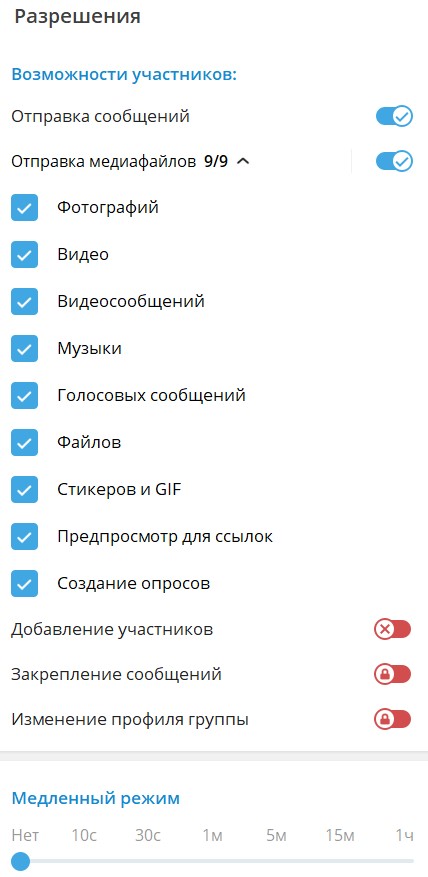
- Open your group, click on the three vertical dots and select “Manage Group”, in the “Permissions” section you will find many useful features, for example:
Member capabilities. In this section, you can prohibit sending various media files, such as stickers or voice messages.
Slow mode. Time restrictions for sending messages — this way, you protect your channel from spam.
Blacklist. You will be able to add users who violate the rules of communication in your channel in the future.
Chotam: Comment Tracking Assistant
Managing comments can be challenging, especially if you have a large channel with an active audience. This is where our service chotam.ru. comes to the rescue. It allows you to automatically forward comments from Telegram to convenient communication channels for you, such as email or messengers.
- Instant notifications. Receive notifications about new comments as soon as they appear and respond in a timely manner.
- Centralized management. All comments will be collected in one place, making it easier to process and respond to them.
- Convenient moderation. Chotam allows you to quickly track and moderate comments, which is especially useful for large channels.
- Export to Excel — you can always export the collected comments to conduct any analysis yourself — find the most active subscribers, the most commented post, and so on.
Enabling comments in Telegram is a great way to increase your audience’s engagement and create a more active community around your channel. If you decide that comments are no longer needed, you can always easily disable them.
Read more useful articles in our blog
Leave a Reply