Exporting comments from Instagram can be challenging. And today, it’s not just an app for sharing photos and videos, but also a powerful platform for promoting your business. It attracts us with its simplicity and ease of use.
Everything you need is here: product placement, communication with customers, advertising, holding giveaways and contests – doing all this in the app is quite easy. There are many ways to track comments on Instagram, but there are also some difficulties, for example — how to export comments from Instagram to Excel. Downloading comments to a separate file may be necessary for analysis or when running a giveaway.
Transferring comments from the browser
Of course, you can manually download comments to Excel. To do this, you need to open the post and simply copy the comments. This is not difficult when you have a few, but when there are thousands – problems arise. The main inconvenience is the social network’s limitation, which allows you to copy a maximum of 2000 comments through the browser.
A service to export comments from Instagram
There are many different programs and applications for exporting comments from Instagram to Excel. Today we will tell you about our service for SMM specialists Chotam, which, in addition to other useful features, has a built-in comment export function.
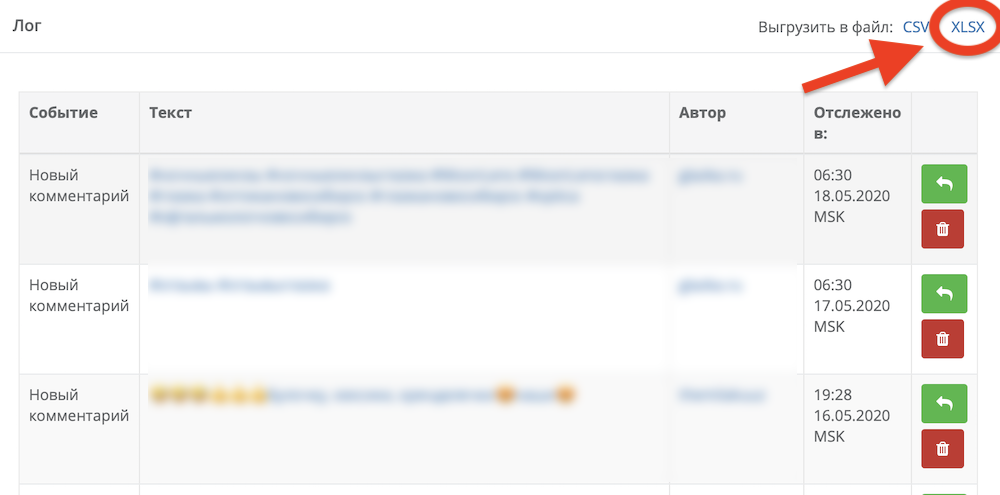
All tasks created in the service have a section called “Task notification log”
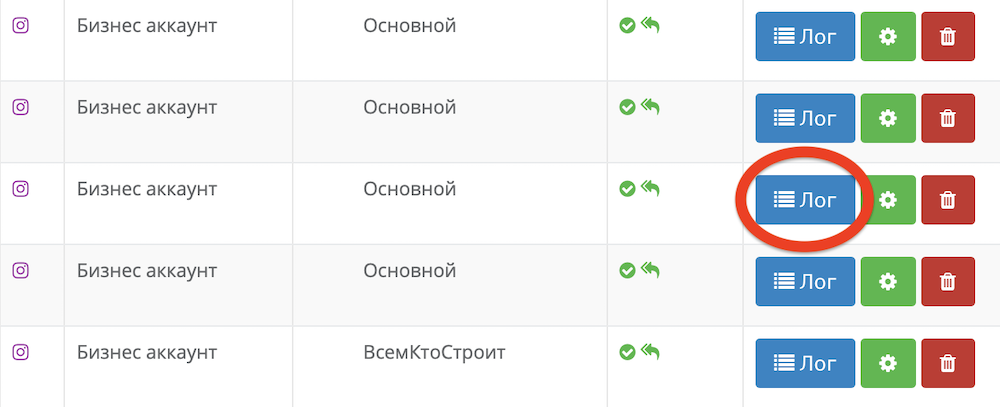
How to export comments from Instagram to Excel
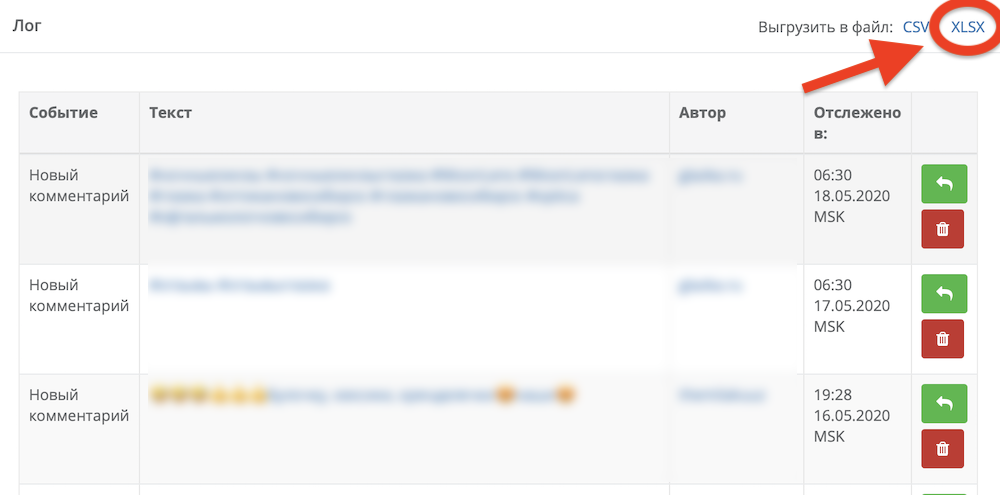
In the log, select “Export to XLSX file”
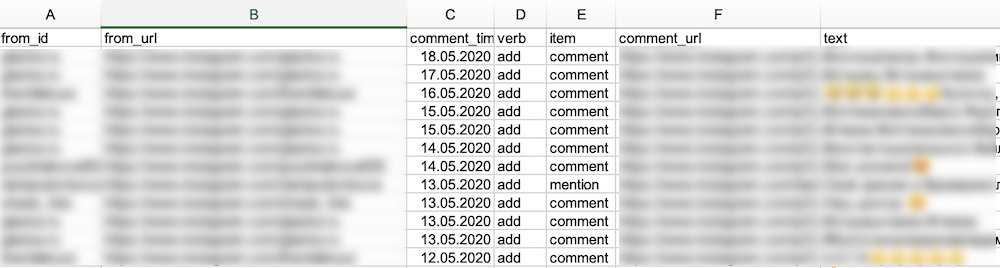
Voila, your Excel table is ready. It will include the user’s id, a link to their profile, the actual comment text with the date, and a link to the post with the comment.
Not all comments are exported
There is one very important point that we cannot keep silent about —
Instagram does not provide all comments. When counting, you may find that the number of comments in the Excel table is less than under the post.
This does not happen by accident.
- Comments left by users with private accounts are not downloaded. In this way, Instagram complies with its privacy policy. That’s why under giveaway posts we always see: “Be sure to open your page for the duration of the giveaway.”
- Comments that are considered spam for one reason or another will also not be loaded into the table. For example, in a reply chain to a comment, only the first 4 will be exported, the rest will be considered spam by the app.
- Comments that were left not through the official app, but using third-party programs, may also not appear in the table.
So, Instagram filters out comments from accounts whose owners did not comply with the contest rules.
With our service, you will no longer say that exporting comments from Instagram is long and tedious. Chotam will do everything itself, freeing up your time for truly important tasks.
Leave a Reply